


HoloSwap:Ai photo,Chat,Video
2.325.00 Reviews
App Specs
- Version
- 1.0.9
- Updated On
- License
- Free
- Downloads
- 100,000+
- Developer
- MetaLemon Technology Co., Limited
- Categories
- Art & Design
- Platform
- Android
Screenshots
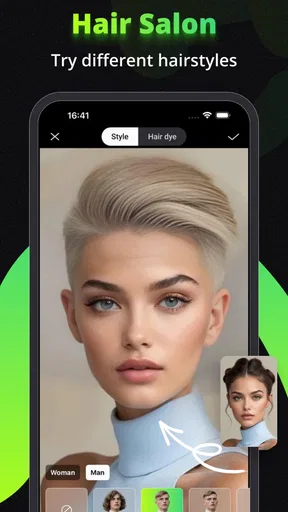
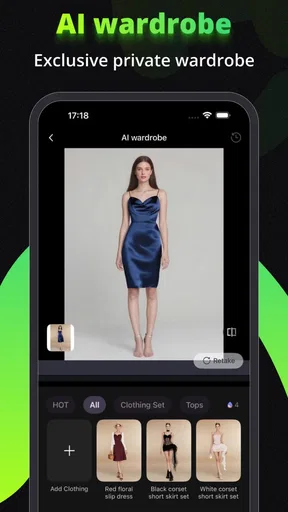
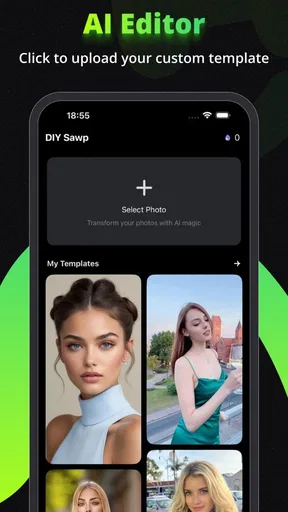
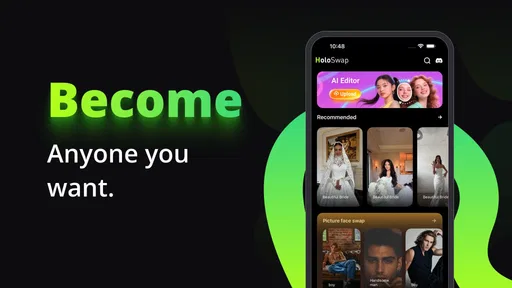
 Analysis by AppCompare
I’d treat HoloSwap:Ai photo,Chat,Video as a playful creative app rather than a dependable editing studio. Its mix of face swaps, AI chat and video creation is appealing when I want a quick, silly result to share, but that breadth also means it is worth approaching with realistic expectations. The most useful question is not whether it can do everything, but whether its particular mix suits the way you like to make and share media.
Where the first snags can appear
Apps built around AI transformations can feel effortless when the source image or clip is a good fit, then less predictable when it is not. With face swapping, I would start with a clear, front-facing photo and an unobstructed face. Busy backgrounds, strong shadows, a turned head or another person close by can make a result look less convincing. That is a practical starting point, not a promise that every image will work equally well.
It also helps to separate the three kinds of use. A face swap is a quick visual experiment; video creation asks you to think about a moving result and its pacing; AI chat is a conversation, not an editing tool. If you open the app expecting one workflow to cover all three, it may take a little exploration to find the part you actually want. I’d try one small task first rather than spending time preparing a complicated project.
HoloSwap is a free app from MetaLemon Technology Co., Limited in the art and design space. It has an average rating of 2.4 from around 360 ratings, so I would not assume that every user will have a smooth experience just because the idea is entertaining. It has over 100,000 installs and is rated for Everyone; it was released on August 26, 2025, and version 1.0.9 lists Android 8.1 as the minimum operating system. Those details make it easier to judge whether it fits your device and tolerance for a still-developing creative app.
Setup checks before you create
Before blaming a failed result on the editor, check the basics: make sure the app is up to date, choose a photo or clip that is easy to inspect, and give the task a moment to finish before restarting it. If a source file is unusually large or complicated, try a shorter clip or a simpler image as a comparison. This does not guarantee a fix, but it can reveal whether the snag is tied to the material you picked rather than the whole app.
Think about the destination before you make something, too. A quick joke for a private chat has different needs from a video you want to post publicly. If the result looks awkward at full size, it may still read clearly as a small, fast-moving message; if it is meant to be watched closely, a clean source and a quick preview matter more. I would keep an unedited original when the image is important, so a playful experiment does not replace the version you actually need.
Recovering a workflow without starting over
When a creation stalls or looks wrong, change one thing at a time. Try another source image, shorten the clip, or return to the tool you intended to use instead of repeating the same action with several new variables. That makes it easier to spot whether the trouble follows a particular photo, a video task or your general connection. If a result is merely unflattering, that is different from an export or loading failure; a better source may help the first, while patiently retrying later may be more sensible for the second.
Worth Reading Before You Choose

EA SPORTS FC Mobile 26 Is a Bigger Football Game, but It Takes Time

Flipboard Shows What News Apps Must Do Beyond the Feed

Switching to Android Auto Means Rethinking Your Driving Routine

Google Calendar Makes a Crowded Week Easier to Manage

Ludo King Makes the Most of the Minutes Between Plans

Baby Panda World Brings Quick Play to Modern Phones, but Its Game Library Feels Busy
For a casual project, I would also keep the first attempt deliberately small: make one swap, inspect it, then decide whether it is worth building into a video. This saves effort and avoids polishing an idea before you know the face or framing works. AI chat is best treated separately; if a conversation misses the tone you want, rephrase the prompt or start a more focused exchange rather than expecting it to repair a media task.
When the app may not be the problem
Not every disappointing result is a technical fault. A face that is partly covered, a low-contrast photo or motion that makes a subject hard to follow can limit the result before the app gets a fair chance. Likewise, a funny transformation may not match the exact image in your head. I’d judge it by whether it gives me a usable starting point or a laugh, not by whether every output looks like a carefully edited production.
There is also a difference between a tool being easy to navigate and every task being effortless. The short description points to face swaps, video creation and chat, but people looking for a conventional timeline editor, detailed manual controls or a focused AI companion may prefer an app designed around just that one job. HoloSwap’s appeal is variety; the trade-off is that it may not replace a specialist tool when precision or consistency matters.
The Magic of HoloSwap: Face-Swapping and Beyond
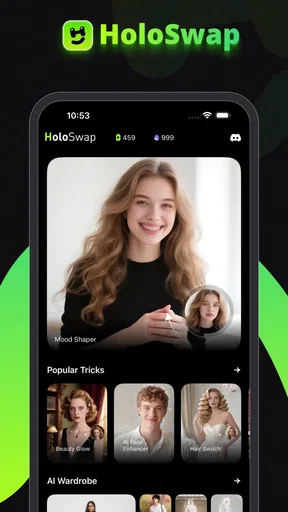
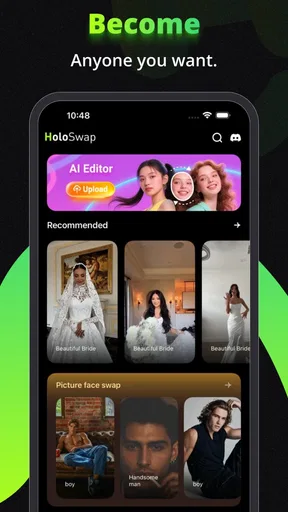
Diving straight into the app, the first thing that caught my attention was its seamless face-swapping feature. Imagine a world where you can stick your face on your favorite movie scenes or become a meme sensation with just a few taps. The accuracy and detail in the swaps are genuinely impressive, making it a hoot to see yourself as different characters.
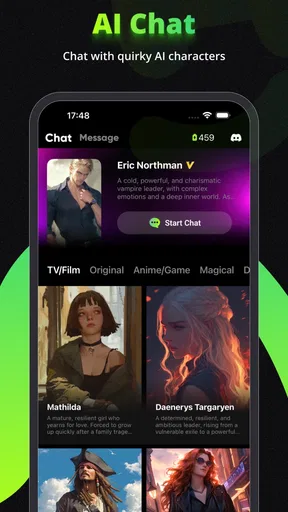
But that’s just the tip of the iceberg. HoloSwap doesn’t stop at face-swapping; it also offers a unique AI chat experience. This feature is like having a conversation with an old friend who just happens to know everything there is to know about you (or at least pretends to). The AI is surprisingly responsive, making conversations feel natural and engaging.
Video Fun and Editing Prowess
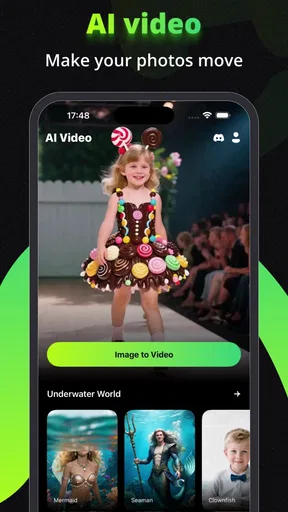
Now, onto the video features. If you’re someone who loves creating content or just wants to send hilarious clips to friends, the video editing tools in HoloSwap are a game-changer. With various filters, transitions, and effects, you can turn mundane videos into cinematic masterpieces or comedic sketches. The interface is intuitive, which means you don’t need to be a pro editor to make something cool.
“Never thought I'd see myself as a rock star, but here we are!”
That’s exactly how I felt after using the app’s video features. It’s just pure fun, and the possibilities are endless.
Interface and User Experience
Let’s talk about the app’s interface, which is clean and straightforward. Even if you’re not the most tech-savvy person around, navigating through the app is as easy as pie. Everything is well-organized, and the learning curve is practically nonexistent. The developers have done a great job ensuring that all features are accessible without unnecessary clutter.
The app also runs smoothly without any noticeable lag, which is crucial when you’re in the middle of crafting the perfect face-swap or editing a video. Plus, it doesn’t drain your battery like some other heavy-duty apps out there.
Community and Sharing
One of the most enjoyable aspects of HoloSwap is its community. You can share your creations directly within the app and see what others are up to. It’s like having a mini social media platform where everyone’s just as goofy and creative as you are.
Sharing your creations is a breeze. Whether you’re posting on Instagram, sending a hilarious clip via WhatsApp, or just saving it to your gallery, the app makes it super simple. It’s all about spreading the fun and seeing how others react to your crazy creations.
Making the most of a casual session
A realistic way I’d use it is during a quiet moment when friends are planning a birthday message. I’d test a face swap with a clear portrait, check whether the joke reads instantly, then decide if a short video adds anything. If it does, I’d keep the edit focused rather than layering effects for their own sake. The practical benefit is speed and surprise; the drawback is that an amusing result can take a few tries, so I wouldn’t leave an important greeting until the last minute.
For someone who posts regularly, the app is more useful as an idea generator than as the final stop in a production workflow. I’d make a playful draft here, then use a familiar editor if I needed careful trimming, captions or a consistent visual style. That two-step approach avoids expecting a quick creative app to offer the precision of a dedicated editor. For a private message, though, the extra polish may not matter at all.
Choosing it over a specialist tool
Compared with a standard photo editor, HoloSwap’s draw is the novelty of changing who appears in a scene and combining that with chat and video. A conventional editor is usually the better fit when I want exact control over color, cropping or retouching. A dedicated video editor makes more sense when timing and a detailed sequence are the main point. The choice is not simply which app has more tools: it is whether I want a quick transformation or a controlled, repeatable result.
The same distinction applies to AI chat. If I want a focused conversation assistant, a purpose-built chat app may be easier to evaluate and use consistently. Here, chat sits alongside visual play, which may suit someone who enjoys switching between creative experiments. I would not choose HoloSwap solely for chat, and I would not choose it as my only editor for work that has to look uniform across several posts.
There is a small but important creative trade-off in face swaps: the more recognizable the source image, the more obvious it can be when a transformation is imperfect. For a quick gag, that slight oddness can add to the humor. For a polished profile image or anything where likeness matters, I’d be more cautious and compare the result closely before sharing. A funny tool is not automatically the right tool for images that represent you professionally.
Costs, expectations and the right audience
The app is free to install, while in-app purchases range from $6.99 to $35.99 per item. I’d explore the free experience before paying for anything and check what an item covers at the point of purchase. That is especially sensible when you are still deciding whether face swaps, video or chat will become part of your routine. A one-off laugh may be enough reason to try it, but not necessarily enough reason to spend.
I think it is best suited to curious casual creators, people who like making visual jokes for friends, and anyone happy to experiment rather than demand predictable results. It is less suitable for a user who needs reliable, detailed editing controls, a professional publishing workflow or a single-purpose chat experience. The Everyone age rating makes it broadly accessible, but I would still use ordinary care when sharing altered images: make sure the people shown would be comfortable with the joke and the audience seeing it.
One question many people have is whether they need editing experience. The tools are presented as approachable, so a beginner can start with a simple source and learn by previewing the result; the more useful skill is choosing an image that gives the effect a fair chance. Another question is whether it replaces a full video editor. I would say no if your work depends on precise sequencing, but it can be a lighter option for a funny clip. And if a task fails, does that prove the app is broken? Not by itself: try a simpler source and a focused workflow before drawing that conclusion.
Community and Sharing
One of the most enjoyable aspects of HoloSwap is its community. You can share your creations directly within the app and see what others are up to. It’s like having a mini social media platform where everyone’s just as goofy and creative as you are.
Sharing your creations is a breeze. Whether you’re posting on Instagram, sending a hilarious clip via WhatsApp, or just saving it to your gallery, the app makes it super simple. It’s all about spreading the fun and seeing how others react to your crazy creations.
Final Thoughts: A Must-Try App
All in all, HoloSwap:Ai photo,Chat,Video is a delightful blend of technology and creativity. It’s perfect for anyone who loves to see themselves in unexpected scenarios or engage in lively AI chats. The app’s features are robust, the interface is user-friendly, and the entertainment value is through the roof.
If you’re looking to spice up your digital life and have some laughs along the way, this is definitely an app you should try. So, what are you waiting for? Dive into the world of HoloSwap and let the fun begin!
Pros
- Intuitive user interface for easy navigation.
- High-quality AI-generated photos and videos.
- Quick processing time for edits.
- Seamless integration with social media.
- Variety of creative templates available.
Cons
- Occasional glitches in photo processing.
- Requires substantial storage space.
- In-app purchases can be pricey.
- Limited free features available.
- Some effects need a stable internet connection.
FAQs for HoloSwap:Ai photo,Chat,Video
What is HoloSwap:Ai photo, Chat, Video and what does it offer?
HoloSwap:Ai is an innovative app that allows users to transform their photos and videos using AI technology. It offers features such as AI-enhanced photo editing, video transformations, and chat functionalities. This app is designed to provide a seamless experience for those looking to enhance their media content with cutting-edge technology.
Is HoloSwap:Ai available for both Android and iOS platforms?
Yes, HoloSwap:Ai is available for download on both Android and iOS platforms. Users can easily find it on the Google Play Store and the Apple App Store, ensuring accessibility for a wide range of smartphones and tablets.
Does HoloSwap:Ai require an internet connection to function?
While some features of HoloSwap:Ai may work offline, like basic photo editing, the more advanced AI-driven functionalities and chat features require an internet connection. This ensures that the app can process data and provide updates in real-time, enhancing user experience.
Are there any in-app purchases or subscription plans within HoloSwap:Ai?
HoloSwap:Ai offers a free version with basic features, but for users looking to access advanced tools and functionalities, there may be in-app purchases or subscription plans. These options allow users to unlock premium content and enjoy an ad-free experience.
How secure is my data when using HoloSwap:Ai?
HoloSwap:Ai prioritizes user privacy and data security. The app uses encryption to protect user data and complies with relevant data protection regulations. Users can manage their privacy settings within the app to control what information is shared or stored.


